Do you have a game that you just love to play and still play from time to time, even though no one else in the entire world seems to like it? Well, for me this is Unreal Tournament 3 – one of the less popular games in a series that was effectively killed a year ago. The original Unreal Tournament and Unreal Tournament 2004 are much more favored and still have an active community today, despite the hurdles, but UT3 is dead and has been for over ten years.
And while I also still like the other Unreal games, where I was a big fan of the series twenty years ago, UT3 is the one I keep revisiting the most, because it has the best weapon balance, my favorite game modes, and the cool Necris vehicles. Plus, it still looks pretty good, where today I'm finally able to fully enjoy the game in all its glory without any FPS drops, which wasn't possible when it first came out (and only added to its demise).
Now, you won't be able to purchase this game any longer, unless you're tracking down a physical copy. And while Epic Games had announced to bring it back as "Unreal Tournament 3 X", I'm not holding my breath for this any longer, because they probably decided at some point that it wasn't worth the effort.
So, instead I've returned to what remains of UT3, and I can't stop playing it, even though I'm only going for botmatches just for fun. And this is remarkable in itself. Well, you play video games for fun in your free time, of course, but that free time is valuable and usually there is always some incentive: to make progress, to see the credits, to clear challenges or achievements, to unlock goodies, to compete with other players, or to increase your rankings. There is none of that for me here, I only play it for the enjoyable "pew pew" action in a great variety of modes and maps. But I've also been busy fostering this variety.
With this post I want to document my efforts of turning my copy of Unreal Tournament 3 into what's the best Unreal Tournament experience for me personally, on the PC in the year 2024. I will go through the different mods and mutators that I use and explain why I use them. And I will list a variety of tweaks that I made myself, for the off chance that someone else out there is still interested in this game and facing some of the same issues.
Unless stated otherwise, any paths referenced in this post are found under ..\Documents\My Games\Unreal Tournament 3\UTGame\ in Windows 10/11.
Patch 2.1 & Titan Pack
Download
First, we should talk about the official stuff. If you have the Black Edition of the game (I think it was only available on Steam), then you already have these updates by default. If not, you should definitely install all this. It's even required for many of the community creations.
The Titan Pack is a free update that adds 19 new maps to the game, two more characters, two new gametypes, and the eponymous Titans mutator. This includes the three maps from the first Bonus Pack (making it obsolete), as well as all the content that used to be exclusive to the Xbox 360 version.
It's really what redeemed the game for me back in the day, after its sad state at launch. Greed even became one of my absolute favorite arena shooter game modes, where it's the perfect blend between Team Deathmatch and Capture the Flag. It's part of the reason why I still like to revisit Unreal Tournament 3.
MapMixer
Download
Right after the official patch 2.1 and the Titan Pack, this is probably the first thing that you want to install. MapMixer replaces large parts of the default UI with something much more sophisticated, where you can organize map lists, create custom gametypes, modify bots, and enhance your experience in other ways. It also adds an ingame UI, where you can change teams or rules on the fly.
First and foremost this mod will let you organize your maps better. It creates its own map database, where you can overwrite data like player counts or the map author directly in the game, but also other info via the UTMapMixer_MapDatabase.ini config file, even the map name. Well, you can edit the ini-files of your custom maps for this as well, but with MapMixer you can preserve the original values and simply use the layer on top to make things look pretty or consistent.
My favorite feature is probably the map filters. It already comes with a couple of pre-defined filters, like one for official maps or the different map sizes, which is something that the original Unreal Tournament had. But you can also make your own based on different criteria. You can even add comments to maps and use them for filters.
For example, I tag any low poly map with "LP" and any remake of a classic map with "RM". The latter lets me have a "Classic Maps" filter, where Unreal Championship 2 gave me the idea for that one. And I do have a large collection of low poly maps, which focus on performance and gameplay, from the time where UT3 didn't run as well on my PC. Those create a stylistic rift in the game, but thanks to the filters I can just switch between "low poly" and "high poly" modes.
The custom gametypes are also a great idea, where you can take one of the existing gametypes and set a list of mutators that are enabled by default. So, you can make something like "Instagib CTF" from UT2004 to keep it separate. However, I found that the Translocator rule setting isn't working properly with these, where it always will use the base gametype's default. So, in the end I only came up with "Survival" from the Unreal Championship games (Duel with the Survival mutator) and "Onslaught" from UT2004 (Warfare stripped of most the additions), where the latter was just an experiment and I haven't kept it.
But custom gametypes also let you experience gametypes on maps from other modes, without the need for any scripting, where the best thing to try yourself is "Vehicle Deathmatch", which is the basic Deathmatch mode on VCTF and WAR maps. This works surprisingly well and even lets you access most vehicles around Power Nodes. Don't bother with creating a team-based variant, though, because only the vehicles in your base will be unlocked for you and you can spawn anywhere. I was unable to find the/an "Unlock Vehicles" mutator to solve this, but there is the Allow Hoverboard mutator to use the Hoverboard in any mode, which is nice to have for this.
Another custom gametype I've made is "Vehicle Greed", Greed restricted to the VCTF maps, which simply helps to separate rules and mutators from the normal Greed mode, so it's easier to switch between the different map sizes.
MapMixer: Broken Level Previews
Another problem that I had faced with MapMixer is that it tries to load the level previews as 2D textures, but some maps have wrapped those into materials for a slide show (like in UT2003/4) or other effects, or use a video file instead. They all work in the normal UI, but MapMixer will only give you black screens... Sadly, this got never fixed, but it only affects a small number of maps out there. And it's still possible to correct this yourself, but this a bit of a hassle...
First, you need to open \Config\UTMapMixer_MapDatabase.ini with an editor. All of your map data gets stored in there, but this can also be used to modify things, like the displayed name or even the preview. The latter is saved as sImageMarkup in the values. If it's "none", then you're out of luck, the map in question most likely doesn't have a screenshot in its package. But if it's something like "<Images:DM-Example.MAT.map-pic>", then you can potentially fix it.
You will need to open the custom map via the Unreal Editor, which comes with the game (start the UnrealFronted.exe in the install directory of Unreal Tournament 3). Then look for the map's package via the Generic Browser window. You should find the linked preview in there, so something named "map-pic" following the above example (it's different for every map). And usually you can find the basic preview image(s) in there as well. It's probably marked as something "NeverStreamed", but you can still link to this in your map database to fix the missing preview.
Copy the reference and insert it into sImageMarkup="<Images:x>" as the x. And voilà, now it's working! To potentially save yourself the trouble, here's a list of all alternate previews that I've detected so far for the maps in my collection:
The only map where I wasn't able to do this is DM-Cipe by Cr4zy, because this has only a video in it and nothing else... If you're really crazy about this, you could theoretically make your own package with screenshots in it and then use that in your map database. This way you could even fix maps that don't have any preview at all.
In any case, while it's unfortunate that MapMixer doesn't support other preview formats, doing this adds a lot of consistency to the map lists. I'm personally not a fan when maps try to stand out too much, e.g. by adding text with the level name to the screenshot, because I like for them to fit in with the rest.
MapMixer: Unique Previews for all Necris Maps
The above method can also be used to adjust some other previews, where it always has bothered me how some of the Necris variants of official maps come with a unique preview image, while others don't. The game does have fitting images somewhere in its files, however, and you can use those to create a better visual distinction in the menus:
- WAR-Islander_Necris:
UI_Objectives.WAR.T_Islander_25_0
- WAR-Serenity_Necris:
UI_FrontEnd_Art.MapPics.map-pic-war-serenityNecris - WAR-Torlan_Necris:
UI_Objectives.WAR.T_Torlan_47_3
Curiously, WAR-Serenity_Necris even has an official screenshot among the files, but for some reason they had decided to not use it. But it was probably to keep it consistent at first, because these three maps were all part of the base game, while the other Necris maps then got added via the Titan Pack.
MapMixer: Additional Panel Backgrounds
The main menu of MapMixer uses different pictures for the background of the interface, which run in a slide show. It's the first thing you see after the (now unavailable) login. Half of these images come from the official map previews, while the other half comes from the singleplayer campaign. You can add to this whatever you want, however, where you could use the previews of some custom maps for example (see above).
In my case, I wanted the preview images for the different gametypes, because you don't get to see those any longer when using MapMixer. If you want them as well, you only have to edit the \Config\UTMapMixerFrontEndUI.ini file and add the following lines to the [MapPreviews MapMixerUI_PanelStorage_SlideShow] section:
Note how both Onslaught and Titans got such artworks as well, even though these modes don't exist in the final game. Onslaught was turned into Warfare, and Titans ended up as a mutator that can be combined with most modes.
If you have the Domination mod installed (more on that later), there is even more to add:
Exposing the Singleplayer Maps
There are two variants of official maps that by default can only be played via the singleplayer campaign: VCTF-Containment_SP and WAR-Torlan_Leviathan. The former removes the containment field around the Darkwalker, so it can be used on the entire map for some fun. The latter is a trimmed-down version of WAR-Torlan, which pitches a Leviathan against four Vipers and potentially a Darkwalker. It's probably the worst version of the map, but the Leviathan is quite rare in the game...
So, if you want to access these maps via the "Instant Action" botmatches, you can add them there via the magic of config files. All you have to do is create an ini file somewhere under \Published\CookedPC\CustomMaps with the following content:
You can name this file whatever you want, e.g. sp-maps.ini. I've actually turned this into two separate files named after the individual maps, just to follow the usual conventions for custom maps.
If you're using MapMixer, you may also want to add them to the list of official maps. First you will have to review and accept these two additions in the main menu. Then you can exit the game, open the \Config\UTMapMixer_MapDatabase.ini file and look for the entries of VCTF-Containment_SP and WAR-Torlan_Leviathan. Then change bOfficialMap=False to bOfficialMap=True for both of these. (Technically, you could use this trick to turn any map into an official one...)
Malcolm
Download
Other than the above two maps, you may be wondering about Malcolm, who was prominently featured as a playable character in the first previews of "Unreal Tournament 2007" and appears in the campaign as a key figure, but you never get to play as him yourself. And this custom character changes this.
I don't know how much of it is actually "custom" and not just a clever exposure of what's already in the game, but it's pretty much perfect. The model, the icon, the voice lines, it all feels like this could have been official content. Well, the voice lines are taken from the campaign, so there is that, and of course the game must have a model of Malcolm somewhere in its files...
The only problem is that Malcolm doesn't really fit into any of the existing factions, so he comes with a "Thundercrash" faction just for himself. And this causes him to appear quite often in botmatches with random contenders, probably because it randomly chooses a faction first... I personally don't mind, because it only adds to his prominence, but with MapMixer you could also just put him to his Iron Guard buddies to keep his appearance rate lower.
Community Bonus Pack 3
Download (zip versions)
The Community Bonus Packs provide content add-ons in the spirit of the official Bonus Packs from past Unreal Tournament games, where it's not just maps, but also some additional characters, power-ups, and even the Domination game mode. There are five volumes in total.
While I wasn't the biggest fan of these compilations initially, these packs have grown on me quite a bit, where I gave most of their contents a second chance. That doesn't mean that I like everything now, but since there is no real need to keep anything for online usage, you can just curate the contents any way you see fit.
For example, I think that the characters Rankin and Hyora from the volumes 3 and 5 are excellent additions, who fit the original game roster very well (I also adore the classic voice clips for Rankin). War Machine and KaT on the other hand appear quite different from the rest of the Liandri robots, where I personally don't like them as much, so I've removed them again.
It's similar with the power-ups, where the Concussion Field and Speed Boots from Vol. 3 are a lot of fun, while the weird Nightmare in Vol. 4 single-handedly ruins the map Yarith for me personally. Most of the maps in these packs are really good, but you will ultimately not love all of them...
That's why it's better to have the zip versions of these packs around, just so that you can manually remove whatever you don't want to keep in your game.
Domination
Download
Several gametypes from previous titles didn't return in Unreal Tournament 3, but you can find mods that bring some of those back. The best one is without a doubt Domination, which is my second-favorite gametype in the original Unreal Tournament. Similar to Greed, it's an objective-based team mode, which hits this sweet spot of being more interesting, without ever becoming too stressful. And it's really nice to have both of these gametypes in one game.
Two variants of this mod exist. There is the full version that also comes with the Double Domination mode from UT2003/4, support for multi-teams, over 20 maps, and more. And there is the lightweight version that is bundled with the Community Bonus Packs (see above), which only installs the classic Domination mode and nothing else.
Believe it or not, I actually prefer the latter. I never was a fan of Double Domination, so I don't necessarily need that mode, and I also disliked the majority of the maps that come with the mod. The main exceptions are the remakes of Cidom, Condemned, Gharden, and Lament. They are all really good and as close to official Domination maps as you can get with this. VDOM-Downtown is also interesting, because it's the only Domination map with vehicles out there and it's based on an official map.
Luckily, there is a way of getting whatever maps you want from the mod without installing it and/or messing with the main install directory. You can open the UT3DomFinal_WinSetup.msi installer file with 7zip and extract the map files, together with DLC_DomMapInfo.ini. Add the missing hyphen to the map files (after the "DOM") and then place all files under \Published\CookedPC\CustomMaps. You can give them a try to see what you like. Once you know which ones to keep, remove the rest and then open the ini-file with an editor to remove any map info of the ones that you don't want.
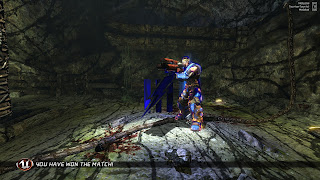
Technically, the CBP3 version of the mod also comes with Double Domination, it's just deactivated. To enable it you only have to outcomment its section in the UTDom.ini file, found in the main install directory under \Unreal Tournament 3\UTGame\Config. It even works with the CDOM CBP3 maps, even though they technically weren't supposed to. But since those maps weren't designed with Double Domination in mind, they aren't that much fun there.
Speaking of the CBP3 maps, they are really the highlight for Domination, especially the two from volume 3: CollisionCourse and Enslaved. What I like about these maps is that they aren't just Deathmatch levels with some control points in them, they really offer some unique concepts that are only possible with Domination.
CDOM-CBP3-Collision Course takes place on a space ship that's about to crash into the atmosphere of a planet. During the match the hull will begin to breach, making certain areas essentially inaccessible. This includes a control point on the bridge, which afterwards can only be reached with the nearby Shield Belt.
CDOM-CBP3-Enslaved on the other hand offers a really cool visual effect, where Necris tentacles get deployed and retracted based on which teams owns the control point. You can get something similar in Warfare with certain Power Nodes, but here the effect is instant and very impressive. Also, the Concussion Field power-up, which creates a bubble of death around you and seems to be exclusive to this map, is such a good fit for Domination.
Good / Essential Mutators
This is a list of custom mutators with their download link, which I either use very often or even keep activated pretty much all the time:
With Blossom you can individually disable all the different post processing effects that make the game look too much like Gears of War: bloom, blur, depth of field, and desaturation. Here is a comparison, before and after:
You can find an excellent article about this on the GreatEmerald blog. There are also alternatives, like the Color Control mutator, but it's highly recommended to use something like this to improve the game's visuals.
Arguably, the single most important entry in this list is the Dodge Jump mutator, which brings back the dodge jumping from UT2004. It's not as floaty, however, where it does feel really great in UT3 and adds a lot of interesting possibilities in many of the maps, all while still preserving the "in your face" nature of the first Unreal Tournament. With this mutator the movement really becomes excellent.
Let's move on to some mutators that are more gametype-specific. With No Deployables you can deactivate all pick-ups for deployables, like the Spider Mine traps that are found on some Deathmatch levels, e.g. Eden Inc or Ocean Relic. Those can be very over-powered and annoying, so this is a good option to have.
The Orb Fix is actually an official patch, if I recall correctly, which was meant to be an interim solution. But Epic Games never released another patch for the game, so this mutator was here to stay. Anyway, this fixes a bug, where the orb wouldn't show on the mini-map any longer after one round, so you want to be running this together with the Warfare mode.
Another nice mutator to have is Vampire, which brings back the mutator of the
same name from past games. It lets you heal by damaging opponents, but
only up to 100 health points, so it doesn't overstack. This can be quite
fun in game modes like Capture the Flag or Greed, where you might be up
against several enemies in a row that stand in your way.
Finally, we have UTComp, which gives you a number of competitive settings. I mainly use it for the hitsounds, because I really like having those, but you can also adjust skin colors, change crosshairs, have an advanced scoreboard, and more. But if you don't care about any of these things, feel free to skip it. It's probably the least "essential" in this list and it also was never finished, so there is still some beta version floating around.
Broken Mutators
There are also some other recommendations for essential mods and mutators that you will find elsewhere, but they didn't really work out for me, one way or another. Let me explain why. I will still link to those that I found quite useful, despite their flaws.
The most prominent one is probably foxMod, which is mainly for enhancing the AI, but it also adds splitscreen support to the PC version and other things. Well, I didn't need these other things and my experience with the "improved" AI wasn't the best. I usually play on the Masterful or Inhuman difficulties, depending on the mode, and without the mutator I often get very close matches, where the result may even be decided in the very last second. It's thrilling. But with foxMod the enemy team turns into a complete pushover, making the matches very one-sided and boring.
Your own team mates can also become useless or annoying. The biggest problem I faced where Cicada pilots trying to pick you up. While the idea is nice, they don't ever stop doing this, which becomes a problem if you want to do something else or even can't get in. One time I turned into a Titan and then a teammate came out of nowhere and kept lifting me up with the Cicada until I fell into an abyss... Good job!
The worst part, however, was that this mutator has a heavy impact on the performance, especially in the Warfare mode with many bots around. There are some adjustments you can make, but this didn't really help, and on top of this the mutator also made my game crash several times. So, in the end I uninstalled it and never looked back.
Next we have the Camera Control
mutator, which lets you change the camera perspective for any of the
vehicles, similar to how it used to be in UT2004. However, it doesn't work with
turrets and it breaks the zoom function of some of the vehicles, like the Goliath and the Nemesis, where for me personally this was rather annoying. If you use the scroll wheel for the next and previous weapon commands, you also won't be able to scroll through the deployables when using the Nightshade or Stealthbender, where you have to use the direct weapon switch keys instead. It's still highly recommend to give this mutator a try nevertheless, because it lets you experience some of the vehicles in a whole new way.
One mutator that I also really liked and still have installed is Taunt Control, which lets you mute your bots with some settings. For example, you can adjust them to only give status updates, but to not taunt, because the ever-same lines can get annoying after a while. However, it doesn't work with custom characters who have their own voice lines, e.g. Malcolm and Rankin, which then causes the game to let these characters taunt excessively, which is even more annoying... But it would be in my list of essential mutators if it weren't for that. Sadly, I wasn't able to find a fix for this.
Another mutator that has its heart in the right place, but ended up flawed, is Destructible Deployables. The idea is that you can shoot down the Spider Mine traps, but it only works with the ones deployed by Nightshades and Stealthbenders, but not with the pick-up. And the former can now be pushed around, which causes a number of new issues...
To Be Continued
That's it for setting up the game with everything you may need or want. But a big part of Unreal Tournament always has been the many community maps out there, where I also want to go through my collection a bit and point out some map packs and highlights that you should get for sure. I will do this in a follow-up post.